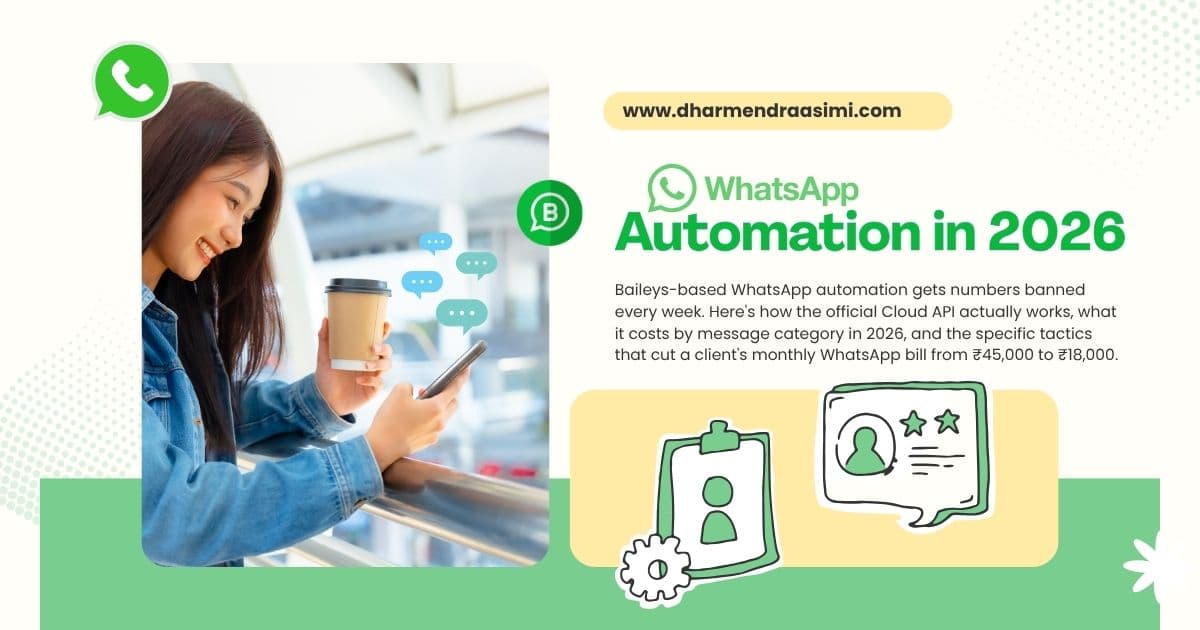
WhatsApp Automation in 2026: Why Baileys Will Get Your Number Banned, How the Official Cloud API Actually Works, and How to Save Money on Pricing

Dharmendra Asimi
SEO Expert & WordPress Professional since 2005
A friend who runs a 30-person edtech company in Bangalore messaged me last month. Their WhatsApp number had been banned. Not soft-banned. Permanently disabled, no appeal, no recovery. The same number they had printed on every brochure, posted on their website, listed on Google Business, and shared with 14,000 students over four years.
The cause was straightforward. Their developer had built a custom notification system using Baileys, an open-source library that connects to WhatsApp by impersonating the WhatsApp Web client. It worked beautifully for eight months. Their team sent class reminders, fee notifications, attendance alerts. Then one Tuesday morning the number stopped working.
This story repeats itself every week. I have heard versions of it from clinics, retail brands, real estate firms, and SaaS startups. The pattern is identical. Build automation with a library that bypasses WhatsApp's official API, scale it, lose the number, scramble to recover.
This guide is the long version of the advice I give every founder who asks me about WhatsApp automation. It covers what Baileys is and why it fails. How the official WhatsApp Business Cloud API actually works. What it really costs in 2026. And the specific tactics I have used to cut a client's WhatsApp bill from ₹45,000 a month to ₹18,000 without losing a single message.
Short answer
WhatsApp automation in 2026 has two legitimate paths: the official WhatsApp Business Cloud API (programmatic, scalable, paid per message) and the WhatsApp Business App (manual, free, capped at small volumes). Everything else, Baileys, whatsapp-web.js, WPPConnect, third-party desktop multi-instance tools, violates WhatsApp's Terms of Service and gets numbers permanently banned, often within weeks.
The Cloud API costs about $0.0114 per marketing message and $0.0027 per utility message in India (as of mid-2026). A typical SMB spends ₹7,000-25,000 a month in Meta charges plus the platform fee of a Business Solution Provider like AiSensy, Interakt, or WATI. Pick utility templates over marketing templates where you legitimately can, use the free 24-hour service window aggressively, and audit template engagement quarterly to cut waste.
The two legitimate paths to WhatsApp automation
Every conversation about WhatsApp automation starts in the wrong place. People ask "what tool should I use" before they have decided which path they are on. There are exactly two paths, and the right tool depends entirely on which one fits your business.
Path 1: WhatsApp Business App. Free. Mobile-first. One device, one user (multi-device support exists but capped). Designed for genuinely small businesses, a solo tutor, a single-doctor clinic, a freelance designer, a neighbourhood bakery. The app supports basic broadcast lists of up to 256 recipients, quick replies, business profile, catalogue, and product messaging. There is no real automation. There is no integration with a CRM or an external system. If you are sending more than 50-100 messages a day from a single phone, you have outgrown the app.
Path 2: WhatsApp Business Cloud API. Paid per message. Cloud-hosted by Meta. Designed for business volume, chatbots, multi-agent support inboxes, broadcast campaigns to thousands of opted-in users, transactional notifications, payments. Requires a verified Meta Business Manager account, a WhatsApp Business Account (WABA), and either direct integration with the API or a Business Solution Provider (BSP) that sits between you and Meta. This is the path every business with real volume should be on.
Anything else, Baileys, whatsapp-web.js, WPPConnect, desktop multi-instances, scraping tools, "AI WhatsApp bots" sold on Telegram channels, is neither path. They are unofficial methods that work against WhatsApp's published Terms of Service and earn permanent bans.
What is Baileys and why do people keep using it?
Baileys (the most popular fork is WhiskeySockets/Baileys) is an open-source TypeScript library that talks to WhatsApp by impersonating the WhatsApp Web client. It uses WhatsApp's underlying Signal Protocol and WebSocket connection to send and receive messages programmatically. It does not go through Meta's official API, it pretends to be a logged-in human using WhatsApp Web.
People use Baileys because the price is irresistible. The library itself is free. There are no Meta charges per message. There is no Business Solution Provider taking a cut. You connect a phone number, scan a QR code, and your Node.js application can send and receive WhatsApp messages immediately. Tutorials on YouTube and Medium make it look like a five-minute setup. Developers pitch it to clients as "WhatsApp automation for the cost of a server."
The whatsapp-web.js library, WPPConnect, GoWA, and the half-dozen other unofficial libraries all work on the same principle. So do the desktop tools that promise "send WhatsApp to 1,000 contacts", they are GUI wrappers around the same idea.
The fundamental problem with all of these tools is not technical. The library works. The problem is that WhatsApp's Terms of Service prohibit exactly what these tools do. From the official WhatsApp Business Terms of Service:
"You will only access (or attempt to access) the WhatsApp Business Services by the means described and authorised by us. You will not use the WhatsApp Business Services to send spam or commercial messages without the recipient's consent."
Baileys is not authorised. Meta knows it exists. Meta has built detection systems for it. Every quarter those systems get more aggressive.
Why Baileys-based numbers get banned
WhatsApp's anti-spam and anti-abuse systems run a combination of signals to detect unofficial clients. None of these are public, but the patterns are well-understood from years of community observation and reverse-engineering of ban triggers. The big ones:
- Behavioural fingerprinting. Real WhatsApp clients have specific timing patterns between actions, message typing, send, read receipts, presence updates. Bots have different patterns. Meta's models classify these in real time.
- Message volume and velocity. Real humans rarely send 500 messages an hour. Real businesses on the Business App rarely send to 1,000 unique numbers in a day. Volume spikes are flagged.
- Recipient reports. One person clicking "Report and Block" on a WhatsApp message contributes a signal. Five do so in an hour, and the sending number gets reviewed. Twenty in a day, and the ban is automatic.
- New-number bans. A brand-new SIM that starts sending to large numbers of strangers within the first 48 hours is the textbook bot pattern. These numbers get banned faster than aged numbers because they have no goodwill to draw on.
- Session anomalies. Baileys cannot perfectly simulate the WhatsApp Web client's session-key rotation, encryption negotiation, and presence handshakes. The differences are subtle but detectable.
- Cross-account correlation. If multiple numbers send the same template messages from the same IP block or VPN range, Meta correlates them and bans them together.
The real cost of a Baileys-based ban is not the development time you wasted. It is the customer relationship. Your number was on your business cards. It was in your invoices. It was in your WhatsApp Business profile. Customers had it saved. When that number dies, every customer who reaches out gets an "unavailable" message and assumes you went out of business. You lose months of trust built up across thousands of conversations.
Indian businesses get hit hardest because India is WhatsApp's largest market and Meta's enforcement budget is concentrated there. According to a WhatsApp India Monthly Compliance Report, the platform bans 8-10 million Indian accounts every single month, the majority for unauthorised automation and bulk messaging.
Already running Baileys?
Migrate Before You Get Banned
I help businesses move from Baileys, whatsapp-web.js, and other unofficial methods to the official Cloud API, without losing customer history or breaking active campaigns.
Book a Migration Consultation →Recoverable bans, unrecoverable bans, and what to do if you are already banned
WhatsApp issues two kinds of bans. Knowing which one you have is the first step in deciding whether recovery is even possible.
Soft bans (temporary). You see a message in the app: "Your phone number is banned from using WhatsApp. Contact support for help." The ban duration is typically 1-7 days. These are usually triggered by short-burst behaviour, too many messages in a short time, too many forwards, too many recipient blocks. You can sometimes appeal through the WhatsApp Support form by demonstrating you are a real user. If the appeal is granted, the number is restored. If not, the soft ban progresses to a permanent ban after one or two repeat offences.
Permanent bans (no appeal). Same message in the app, but the support form replies with a generic "decision is final" response. These happen when Meta's classifiers have high confidence that the number was used through unauthorised software. Baileys, whatsapp-web.js, bulk-message tools, and gray-market "WhatsApp marketing panels" almost always trigger permanent bans within 30 days of consistent use. The number cannot be used on WhatsApp ever again, even after you transfer it to a new SIM.
If you are reading this and your number has just been soft-banned, three things:
- Stop all automated sending immediately. Every additional automated message after the soft ban accelerates the path to permanent ban.
- Open WhatsApp on the registered device and use the support form to request a review. Explain that you are a legitimate business that was using a third-party tool you now understand violates the ToS, and that you are migrating to the official Cloud API.
- Start your Cloud API onboarding with a Business Solution Provider in parallel. If the appeal succeeds, you continue on the original number through the API. If it fails, you have a fresh number ready to go.
For permanent bans, focus on the migration. Set up a new business number with the Cloud API, update every public listing, send out a one-time announcement on email and SMS to your existing customer database telling them the new number, and treat the ban as the cost of an expensive lesson.
How the WhatsApp Business Cloud API actually works
The WhatsApp Business Cloud API is Meta's official, hosted-by-Meta version of the WhatsApp Business API. It launched in May 2022 and replaced the older on-premise API for most use cases. As of 2026 it is the canonical way to integrate WhatsApp into business systems at scale.
Here is the architecture, from the bottom up:
- Your business application (your website, CRM, e-commerce platform, custom backend) sends an HTTP POST request to a graph.facebook.com endpoint.
- Meta's Cloud API receives the request, validates the template, and routes the message through WhatsApp's infrastructure.
- WhatsApp delivers the message to the recipient's device using its normal encrypted message-delivery system.
- Webhooks from Meta back to your application report message status (sent, delivered, read) and inbound replies.
To get to that architecture you need three things set up:
- A verified Meta Business Manager account for your company.
- A WhatsApp Business Account (WABA) inside Business Manager, with a verified phone number.
- Either a direct integration with the API (Node.js, Python, PHP, Go, or any language with HTTP support) or an account with a Business Solution Provider that handles the API wiring for you.
The phone number you connect to the Cloud API cannot already be in use with the WhatsApp Business App. You can use a brand-new number, a landline that supports SMS or voice OTP, or migrate an existing Business App number after deleting the app account. Direct integration takes a developer about 2-5 days to wire end-to-end. BSP integration takes 2-5 hours and gives you a polished UI for non-developers.
How WhatsApp Cloud API pricing works in 2026 (and why it changed)
WhatsApp restructured its pricing in mid-2025 from a conversation-based model to a per-message model. Understanding the new model matters because picking the wrong template category can multiply your bill by 4x without any change in volume.
The old model (before July 2025): Pricing was per "conversation", a 24-hour window between you and a customer. The first 1,000 customer-initiated service conversations every month were free. Categories were grouped into utility, marketing, authentication, and service.
The new model (from July 2025 onwards): Pricing is per template message. There is no free tier on most categories. Customer-initiated service messages (your replies within 24 hours of an inbound message from a customer) remain free, but business-initiated messages of any kind cost money from the first message.
The four template categories and their approximate Indian pricing as of mid-2026 (USD pricing direct from Meta, converted at ₹84/USD; check the live Meta pricing page before quoting clients):
| Category | Use Case | India Price (USD) | India Price (₹) |
|---|---|---|---|
| Marketing | Offers, promotions, product launches, abandoned cart | $0.0114 | ₹0.96 |
| Utility | Order updates, shipping notifications, appointment reminders, payment confirmations | $0.0027 | ₹0.23 |
| Authentication | OTPs, login codes, password resets, account verifications | $0.0014 | ₹0.12 |
| Service (within 24-hour window) | Replies to inbound customer messages within 24 hours | $0.0000 | Free |
Two things to notice. First, marketing messages are roughly 4x more expensive than utility messages and 8x more expensive than authentication messages. Second, service replies inside the 24-hour customer service window are entirely free, which is why running a responsive customer support inbox is one of the cheapest things you can do on WhatsApp.
Pricing varies by country, and the gaps are large. The same marketing message that costs $0.0114 in India costs roughly $0.0432 in the United States, $0.0529 in the United Kingdom, and as much as $0.0840 in the United Arab Emirates. If you have a multi-country customer base, model your costs per country before committing to a marketing strategy.
A realistic monthly pricing example for an Indian SMB
Consider a Bangalore-based D2C cosmetics brand. They have 60,000 customers in their WhatsApp database, opted in through purchase consent. Their typical monthly outbound WhatsApp activity:
- 2 marketing broadcast campaigns, each to 30,000 recipients = 60,000 marketing messages
- Order confirmation utility messages (1 per order, ~6,000 orders/month) = 6,000 utility messages
- Shipping notification utility messages (2 per order) = 12,000 utility messages
- Delivery confirmation utility messages (1 per order) = 6,000 utility messages
- Re-order reminder utility messages (1 per customer per quarter, prorated) = 2,000 utility messages
- Customer support replies (all within 24-hour service window) = 8,000 service messages
Meta charges, at India 2026 rates:
- 60,000 marketing × $0.0114 = $684 (~₹57,500)
- 26,000 utility × $0.0027 = $70 (~₹5,900)
- 8,000 service = $0 (free)
- Total Meta cost: ~$754 (~₹63,400) per month
On top of that you pay a BSP platform fee. For this volume, AiSensy's Pro plan is around ₹2,399/month, Interakt's higher tier is around ₹3,999/month, and WATI's growth plan is around ₹6,000/month. Total monthly WhatsApp spend lands in the ₹66,000-70,000 range for this business.
Where the bill gets out of hand is when businesses categorise everything as marketing because the BSP UI defaults to that, or when they send unnecessary "Hi, just checking in" outreach messages that have no transactional purpose and pay marketing rates for them.
Six ways to cut your WhatsApp Cloud API bill in half
I have helped several clients audit and restructure their WhatsApp spending. These six tactics consistently produce 30-60% cost reductions without sacrificing message reach.
1. Re-categorise transactional messages as utility, not marketing
The single biggest cost saving available. A message like "Your order #12345 has shipped, track it here" is utility. Meta's template review system understands the distinction. If you are paying marketing rates for transactional notifications, you are paying 4x what you need to. Audit every active template, recategorise where legitimate, and resubmit for approval.
2. Use the free 24-hour service window aggressively
When a customer messages you on WhatsApp, you get a 24-hour window where all your replies are free. Most businesses waste this window by replying once and going quiet. Instead, design your customer journey to live inside that window, acknowledge the message, ask qualifying questions, share product images, complete the conversation. Every reply inside the window is zero-cost. Outside the window, even a "thanks for your message" template costs you ₹0.23 (utility) or ₹0.96 (marketing).
3. Run Click-to-WhatsApp ads instead of cold broadcasts
A Click-to-WhatsApp ad on Facebook or Instagram is the most powerful free-window opener available. When a user clicks the ad, they land in a WhatsApp conversation with you that opens the 24-hour service window. You can then nurture, qualify, and close inside the free window. Compare to a cold broadcast where every message costs ₹0.96. For consideration-stage conversions, ads-to-WhatsApp campaigns routinely outperform pure broadcasts on cost per acquisition.
4. Consolidate templates to reduce wasted sends
Many businesses send three messages where one would do: "Your order is placed" + "Your order is paid" + "Your order is shipped". Each of those costs you ₹0.23. Consolidate into a single utility template with dynamic variables for status updates. Three messages becomes one, and you save 67% on that customer's transactional spend.
5. Kill low-engagement templates quarterly
Most BSPs report read rates and reply rates per template. Templates with reading rates below 20% are usually broken, wrong audience, wrong timing, wrong messaging. Sending them again is paying for non-events. Run a quarterly audit, archive any template under 25% read rate, and rebuild the message based on what is actually getting engagement.
6. Switch BSPs if your platform fee is out of line with your volume
BSP pricing models vary wildly. Some charge a flat monthly fee, some take a per-message markup over Meta's rate, some do both. For low-volume businesses (under 5,000 messages/month), a flat-fee provider like AiSensy is dramatically cheaper than a per-message provider like Twilio. For high-volume businesses (over 100,000 messages/month) the calculus flips, Twilio or 360dialog with no platform markup often comes out ahead. Re-run the math at the start of every fiscal year.
Which Business Solution Provider should you actually use?
WhatsApp's Cloud API is technically free to access if you build directly against it, but in practice 99% of businesses use a BSP because the BSP handles template approval, webhook routing, chatbot interfaces, multi-agent inboxes, and CRM integrations. Meta maintains a public directory of approved BSPs. The realistic shortlist for Indian businesses in 2026:
| BSP | Base Pricing | Best For | Notes |
|---|---|---|---|
| AiSensy | ~₹999-2,399/month | Indian SMBs, D2C | Strong campaign builder, easy onboarding, Indian-context support |
| Interakt | ~₹2,499-3,999/month | Mid-market, agency clients | Owned by Jio Haptik, deep CRM integrations, multi-agent inbox |
| WATI | ~$49-99/month | Global SMBs, e-commerce | Shopify integration, no-code chatbot, polished UI |
| Twilio | Pay-per-message + small markup | Developers, high-volume | Best API documentation, multi-channel (SMS + email + voice) |
| 360dialog | ~€49-199/month + Meta cost | EU compliance-heavy, high-volume | Transparent pricing, no per-message markup, GDPR-strong |
| Gupshup | Enterprise quote | Indian enterprise, BFSI | Long-standing local player, RBI/SEBI-compliant deployments |
Three quick rules I use when recommending BSPs to clients. First, never sign more than a 6-month commitment with any BSP, your volume and use case will change and so should your provider. Second, run a 30-day trial sending real production traffic before you commit. Third, pay attention to template approval turnaround, some BSPs get templates approved in 2-4 hours, others take 24-48 hours, and slow approval kills marketing agility.
Need help picking a BSP and setting up Cloud API?
Free 15-Minute WhatsApp Strategy Call
I will look at your volume, use case, and budget and recommend the right path, including which templates to set up first and what to expect on monthly cost.
Book a Free Call →Building a WhatsApp chatbot on the Cloud API
Chatbots are the single most common reason businesses adopt the Cloud API. The Cloud API supports rich interactive messaging that makes good chatbot UX achievable without much code:
- Quick reply buttons, up to 3 buttons per message. Use for binary choices ("Confirm" / "Cancel") or short option sets.
- List messages, up to 10 options across multiple sections. Use for product menus, appointment slots, support categories.
- Call-to-action buttons, open a URL or trigger a phone call. Use for "View order" or "Track shipment" links.
- Media messages, images, videos, documents, PDFs up to 100MB. Use for product photos, brochures, invoices.
- Location messages, request the user's location or share your own. Use for delivery confirmation, store-finder, service area validation.
You have two paths to building the bot logic itself. The first is to use the no-code bot builders inside AiSensy, Interakt, or WATI. These support drag-and-drop flows, conditional logic, integration with Google Sheets and Zapier, and basic AI fallback. For 80% of small-business chatbots, this is the right path, fast, cheap, no developer needed.
The second path is to build the bot logic yourself. The Cloud API handles message delivery. You handle the conversation state, NLU (natural language understanding), and business logic in your own backend. This path makes sense when you need deep CRM or ERP integration, when you have complex routing rules, or when you want to plug in modern LLMs like Claude or GPT-4 for free-form conversation handling. Frameworks like Botpress and Voiceflow sit in between, giving you visual flow design with deeper extensibility than no-code builders.
Compliance, consent, and the rules that matter
WhatsApp's enforcement is stricter than email marketing, and Indian businesses face additional layers, the Information Technology Rules, RBI guidelines for financial communications, TRAI's commercial communications framework, and the soon-to-be-enforced Digital Personal Data Protection Act (DPDPA). The practical rules that matter for WhatsApp specifically:
- Opt-in is mandatory. You can only send marketing or utility messages to numbers that have given you explicit consent. Consent must be specific to WhatsApp, a generic "I agree to receive communications" checkbox is not enough. Best practice: a separate WhatsApp opt-in checkbox at signup or checkout, with the wording "I agree to receive transactional and promotional messages on WhatsApp at this number."
- Opt-out must be honoured. Every marketing template must include a way for the recipient to stop. Most BSPs auto-add a "Reply STOP to unsubscribe" footer.
- Template approval is the only sending mechanism. Outside the 24-hour service window, you can only send messages from pre-approved templates. Meta reviews each template for spam, deception, and category accuracy. Approval takes 1-48 hours depending on the BSP and category.
- Quality rating affects throughput. WhatsApp assigns each business a quality rating (Green, Yellow, Red) based on user feedback. Low ratings throttle your daily sending limit. Repeated low ratings disable the account.
None of this matters if you are sending spam. WhatsApp's anti-spam stack is more aggressive than most channels. Send genuinely valuable, expected messages to opted-in users, and your sending limits expand automatically over time.
Migrating from Baileys to the Cloud API without breaking anything
If you are currently running on Baileys and want to migrate to the official Cloud API before the inevitable ban, here is the practical sequence I have used with clients:
- Set up your Meta Business Manager account and verify your business. Business verification takes 1-7 days. Start this first, everything else waits on it.
- Pick your BSP and complete onboarding. Sign up, connect your business, get your WABA approved. Plan 2-3 days for this.
- Decide on the migration phone number. Best practice: use a brand-new number for the Cloud API, then run both in parallel for 30 days while you migrate customers. Worse alternative: migrate your existing Baileys-connected number, which requires shutting down Baileys, deleting the WhatsApp Business App account, and registering the same number on the Cloud API. Risky if Baileys has already triggered quality flags.
- Build your initial template library. The 5-10 most-used messages from your current workflow. Get them submitted for approval first so they are ready when you start sending.
- Migrate customer data. Export contacts from Baileys, import into your BSP's contact manager, tag based on opt-in status and engagement history.
- Announce the new number. One-time email + SMS + Baileys broadcast (last hurrah) telling customers about the new official WhatsApp number. Include the new number in your signature, your website footer, your Google Business profile.
- Run parallel for 30 days. Keep Baileys running for inbound customer messages while you ramp up the Cloud API. Slowly shift outbound campaigns and notifications.
- Shut Baileys down. After 30 days, disconnect Baileys, deregister the number from WhatsApp on that SIM, and let it go quiet for a few weeks before deciding what to do with it.
Total migration time for a small business: 2-4 weeks. For a larger business with multiple use cases and complex CRM integration: 6-10 weeks. Either way, the cost is dwarfed by the cost of running on Baileys until a ban hits.
When WhatsApp automation is overkill
Not every business needs the Cloud API. Three patterns where the WhatsApp Business App or just plain personal WhatsApp will serve you better:
- Volume under 1,000 messages/month. The setup overhead, BSP fees, and operational complexity of the Cloud API are not justified at this scale. Stick with the Business App and a virtual assistant if you need help managing replies.
- Service-based businesses with bespoke conversations. A wedding planner, a luxury real estate broker, an immigration consultant, the value of the conversation is the conversation. Templated messaging hurts these brands. Use the Business App, train your team on quick replies, and keep the touch personal.
- Industries with regulatory restrictions on WhatsApp use. Some pharmaceutical, healthcare, and financial-services categories have specific Indian and global regulatory restrictions that make automated WhatsApp messaging non-viable. Verify with your compliance team before building anything.
Frequently asked questions
Is Baileys-based WhatsApp automation legal?
Baileys itself is an open-source library, the library is legal. What is not legal under WhatsApp's Terms of Service is the use case: connecting to WhatsApp through reverse-engineered or unauthorised methods. WhatsApp's ToS explicitly prohibits unauthorised means to access the service. Numbers using Baileys, WPPConnect, whatsapp-web.js, or similar libraries are subject to immediate and permanent ban with no appeal.
How long does a WhatsApp number stay banned after a Baileys violation?
Most Baileys-related bans are permanent. First-time soft bans typically last 1-7 days. Repeat offences and clear bot patterns trigger permanent bans within 24-72 hours. The number itself is blocked, not just the account, you cannot create a new WhatsApp account on the same phone number.
How much does WhatsApp Cloud API actually cost in India?
Pricing is per-message as of July 2025. Indian rates (mid-2026): Marketing messages ~$0.0114 (₹0.96), Utility ~$0.0027 (₹0.23), Authentication ~$0.0014 (₹0.12), Service messages within the 24-hour window are free. A typical e-commerce business sending 5,000 marketing + 10,000 utility messages per month spends roughly ₹7,000 in Meta charges plus BSP platform fees.
Which Business Solution Provider should I use?
For Indian SMBs: AiSensy or Interakt. For global SMBs: WATI. For enterprise or developer-heavy use: Twilio or 360dialog. For Indian enterprise compliance: Gupshup. The right pick depends on volume, technical team, language requirements, and CRM integration needs.
Can I run a chatbot on WhatsApp Cloud API?
Yes. The Cloud API supports interactive buttons, list messages, location requests, and rich media. Use the no-code bot builders inside your BSP for fast deployment, or build custom logic in your own backend with frameworks like Botpress or Voiceflow for deeper integration.
What is the difference between WhatsApp Business App and Cloud API?
The Business App is free, mobile-first, single-user, with manual broadcasts limited to 256 recipients per list. The Cloud API is paid per message, supports multi-agent inboxes, chatbots, programmatic access, and proper CRM integration. The Business App is fine up to ~50-100 messages a day. Beyond that, the Cloud API is the only legitimate path at scale.
About the author
Dharmendra Asimi is an SEO Expert and WordPress Professional based in Bangalore, India. He has worked with WhatsApp business integrations since the Business API launched in 2018, and has migrated multiple Indian SMBs from Baileys-based setups to the official Cloud API. He founded Aapta Solutions in 2007 and provides WordPress maintenance, technical consulting, SEO services, and AI/messaging strategy advisory to businesses across India, the US, the UK, Australia, and the Middle East. Read his full bio or explore his technical consulting services.
Enjoyed this? Get the next one in your inbox
Join readers getting practical guides like this every week. Free, unsubscribe anytime.
- One practical article a week, no fluff
- Free checklists and self-check PDFs first
- SEO, WordPress, AI search, and online safety